
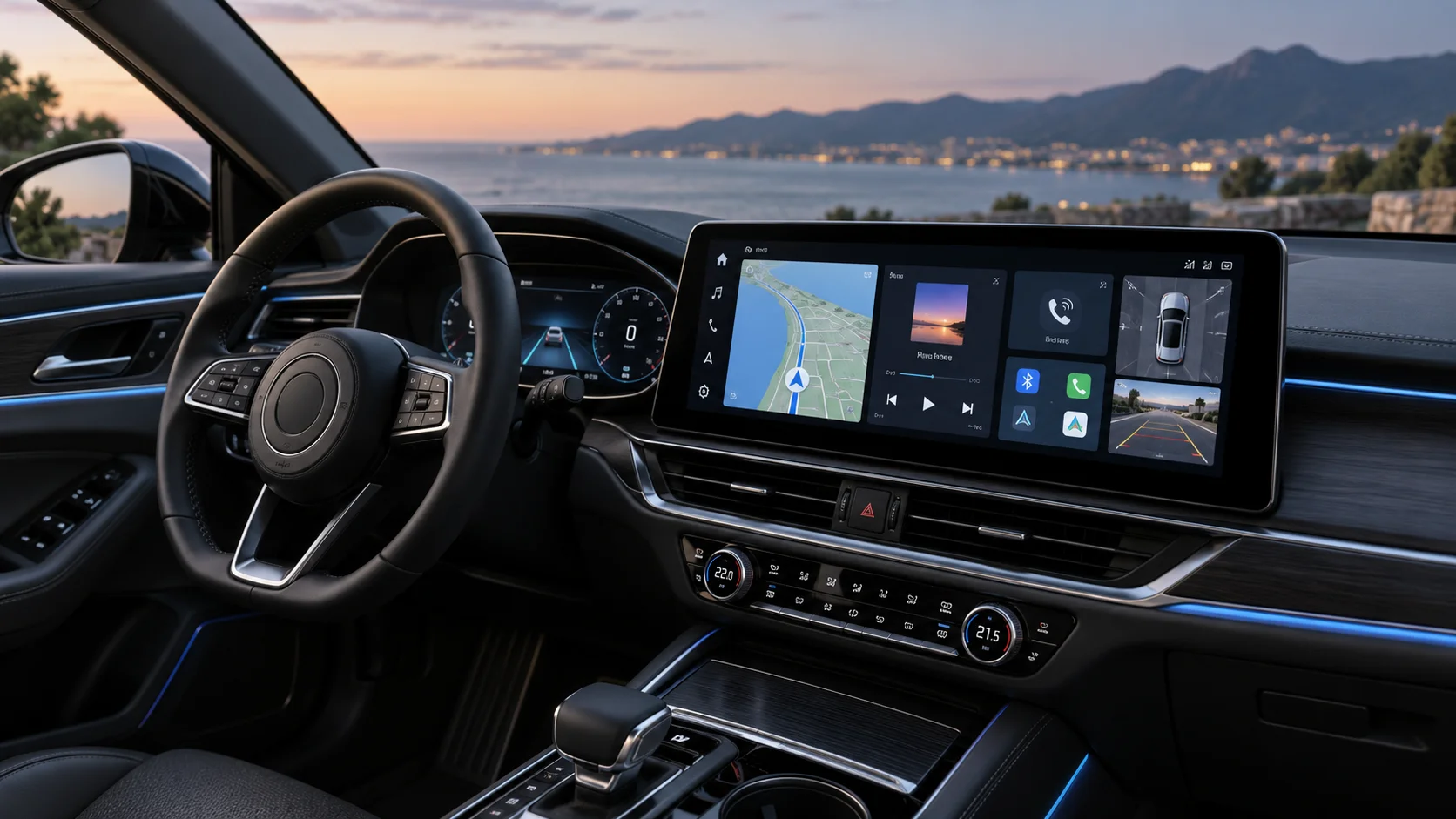
A modern dashboard does much more than play music. It can handle navigation, phone calls, smartphone apps, parking cameras, vehicle settings and entertainment from a single screen.
So, what is a car infotainment system? Put simply, it is the central interface that brings together entertainment, communication, navigation and connected features inside the car.
But not every system offers the same experience. A large screen may look impressive in the showroom, yet slow software, limited smartphone support or poor camera integration can quickly become frustrating in everyday use. If you are upgrading, these are the ten features worth checking before choosing a Car Infotainment System.
1. A Responsive Touchscreen
Screen size gets plenty of attention, but responsiveness matters more.
A good touchscreen should react quickly to taps and swipes without making you press the same icon twice. Menus should also be easy to read at a glance so you do not have to spend too much time looking away from the road.
When comparing displays, check:
- Screen resolution
- Touch response
- Viewing angles
- Brightness in daylight
- Night-time visibility
- Screen size relative to the dashboard
- Menu layout
- Physical shortcut buttons, where available
Bigger is not automatically better. The display should fit the dashboard cleanly without blocking vents, switches or the driver’s view.
2. Android Auto and Apple CarPlay
Smartphone integration is one of the most useful features in a modern car multimedia system.
Android Auto and Apple CarPlay let you access compatible phone functions through the dashboard display. Depending on the system and phone, this can include navigation, calls, messages, music, podcasts and voice assistance.
Wireless support adds convenience because your phone can connect without being plugged in every time you enter the car. Wired connections can still be useful for stable connectivity and charging during longer journeys.
Before buying, check whether the system supports:
- Android Auto
- Apple CarPlay
- Wired or wireless connectivity
- Your phone’s operating-system version
If you are deciding whether an aftermarket display is genuinely an improvement over your original setup, Car Decor’s comparison of Android infotainment and stock car systems explains some of the practical differences.
3. Full Android Functionality
Android Auto and a full Android-based head unit are not the same thing.
An android infotainment system runs Android directly on the unit itself. Depending on the model, this can allow apps, streaming services, navigation tools and other functions to operate from the system rather than simply mirroring compatible features from your phone.
Before choosing one, look at more than the Android version printed on the box. Processor performance, RAM, storage capacity and software optimisation all affect how smoothly the system runs.
Car Decor’s guide to CASKA Android infotainment system features and pricing in India is useful if you want to see how these specifications differ across aftermarket options.
4. Built-In Navigation and GPS
Phone-based maps have made navigation easier, but built-in GPS still has advantages.
A well-designed system can give you turn-by-turn directions directly on the dashboard and may continue offering navigation functions when phone connectivity is limited, depending on the maps and software installed.
Useful navigation features can include:
- Real-time traffic information
- Route alternatives
- Saved destinations
- Recent destinations
- Voice-guided navigation
- Offline map support
- GPS positioning
Drivers who frequently travel between cities or through areas with inconsistent mobile coverage may especially value offline navigation support.
The interface matters here too. Searching for a destination should be quick, and map information should remain readable without covering the screen with unnecessary controls.
5. Reliable Bluetooth Connectivity
Bluetooth may sound basic compared with the newer features available, but it remains one of the functions most drivers use every day.
A reliable system should connect quickly when the car starts and maintain a stable connection for calls and audio streaming.
Check whether the system supports:
- Hands-free calling
- Contact syncing
- Music streaming
- Multiple paired devices
- Automatic reconnection
- External microphones where required
Call quality is particularly important. A large touchscreen has little value if the microphone makes every hands-free conversation difficult to hear.
If more than one person regularly drives the car, easy switching between paired phones can also make the system much more convenient.
6. Better Audio Controls
An infotainment upgrade can also become the control centre for the car’s audio setup.
Look for useful sound adjustments such as:
- Equaliser settings
- Balance and fader
- Bass and treble controls
- Crossover settings
- Time alignment
- Subwoofer controls
- Multiple preamp outputs
The exact features you need depend on the rest of the sound system. A factory speaker setup may only require basic equalisation, while a vehicle with aftermarket speakers, an amplifier and a subwoofer can benefit from more detailed audio controls.
If you care about sound quality, check the audio capabilities rather than assuming a newer display will automatically improve the way the system sounds.
7. Reverse Camera and Multi-Camera Integration
Parking-camera support is one of the most practical reasons to upgrade an older infotainment setup.
A compatible system can automatically switch to the rear-camera feed when reverse gear is selected. More advanced units may support additional front, side or 360-degree camera systems.
Look for:
- Reverse-camera input
- Quick switching to the camera view
- Parking guidelines
- Front-camera compatibility
- 360-degree camera compatibility where required
- Good low-light display quality
Compatibility is important because cameras, adapters and factory wiring differ between vehicles.
If your car already has an OEM reverse camera, check whether the new unit can retain it before replacing the original display.
8. Voice Control
The less you need to touch the display while driving, the better.
Voice control can allow you to perform common functions such as:
- Calling a contact
- Choosing music
- Entering a navigation destination
- Reading or replying to compatible messages
- Asking for directions
- Controlling supported apps
Systems using Google Assistant, Siri or another compatible voice platform can make these tasks more convenient.
The quality of the microphone and software response matters just as much as whether “voice control” appears on the feature list. Try to assess how easily the system recognises normal speech, especially in a moving car with road and air-conditioning noise.
9. Multiple Connectivity Options
Your phone may be the main device connected to the dashboard, but it should not necessarily be the only one.
Useful connectivity options can include:
- USB ports
- Bluetooth
- Wi-Fi
- Smartphone hotspot support
- SIM or 4G connectivity on compatible models
- SD card support
- Auxiliary inputs
- External microphone connections
Wi-Fi can be especially useful on Android-based systems for app downloads, map updates and streaming.
Some units also support dedicated internet connectivity. Whether you need it depends on how often you use connected apps independently of your phone.
This is an area where specifications can vary considerably between models. Car Decor’s overview of Blaupunkt Android infotainment system features offers another useful reference when comparing connected functions.
10. Performance, Storage and Software Updates
A feature-packed system is not much fun if opening an app takes several seconds every time.
Processor speed, RAM and storage influence how responsive the interface feels, particularly on Android-based units that run multiple applications.
Before buying, check:
- Processor specification
- Available RAM
- Internal storage
- Boot-up time
- App-loading performance
- Software-update support
- Firmware availability
- After-sales support
Extra storage can be useful if you plan to install apps, download offline maps or keep media locally.
Software support is equally important. Updates can improve compatibility, fix bugs and keep connected features working properly as smartphones and apps change.
A modern Car Infotainment System should therefore be judged by how smoothly it works over time, not simply by how many icons appear on the home screen.
Quick Buying Checklist
Before finalising an infotainment upgrade, run through these questions:
- Is the screen size appropriate for the dashboard?
- Is the touchscreen responsive and visible in daylight?
- Does it support Android Auto and Apple CarPlay?
- Do you need full Android functionality?
- Does it offer GPS and the navigation features you use?
- Is Bluetooth reliable for both calls and music?
- Are the audio controls suitable for your sound system?
- Can it retain or support the cameras fitted to your car?
- Is voice control easy to use while driving?
- Does it have the USB, Wi-Fi and other connections you need?
- Are the processor, RAM and storage sufficient?
- Are software and firmware updates available?
- Will steering-mounted controls and other factory functions continue to work?
- Can the unit be installed without compromising the dashboard or vehicle wiring?
The right choice is rarely the unit with the longest feature list. It is the one that combines the functions you actually use with reliable performance and proper compatibility with your vehicle.
For guidance on choosing a compatible infotainment system, retaining factory functions and getting the unit professionally installed, visit Car Decor. The team can help you compare options across different features and budgets before you upgrade.